 Murat Bayral6m read
How to build a walkable 3D museum with AI and Three.js
A few months ago we put a small 3D museum on our blog, the 02UI Museum. You can walk through it, click a painting and land on a post. At the time it felt like magic. Looking at it now, it looks like a toy: white walls, flat light, a floor that reflects nothing.
So we gave the same museum to 2 frontier models, Kimi K3.1 from Moonshot AI and Opus 5.5 from Anthropic, and asked each one for the most realistic version it could build. Before writing this up we checked the numbers we quoted on camera. 1 of them needs a correction, and it is below.
Can AI build a 3D website from one prompt?
Yes, with a caveat. Both models took a folder of existing Three.js code and a short prompt, and came back with a museum you can walk through in a normal browser. Neither needed us to step in.
The caveat is that "one prompt" hides a lot of hours. Benchmarks give a rough idea of what to expect. On Terminal-Bench 4.0, a test of long agentic tasks in a terminal, Opus 5.5 ranked first at 64.8% on 17 October 2026, according to Developers Digest's copy of the official tbench.ai board. We could not find a published Terminal-Bench score for Kimi K3.1. A benchmark tells you who finishes tasks. It does not tell you whose museum you want to stand in, which is why we ran the test ourselves.
Kimi K3.1 vs Opus 5.5: time, cost and result
Kimi K3.1 ran on its Max setting. It worked for 1 hour 53 minutes, then for about another 4 hours, then for another 2 hours 30 minutes after we added the reference image. That is roughly 8 hours in total. The result is a big jump: dim light, a real empty-museum sound, paintings you can click through to the blog.
Opus 5.5 ran on Extra, not Max, and got the reference image up front. It took about 1 hour 10 minutes. At API prices the same run would have cost around $30. The result has soft focus, footsteps and a slight head movement as you walk. It reads as a museum, not a model of one.
Correction. In the video we said Kimi costs about half of Opus 5.5. We could not find official pricing for Kimi K3.1. For Kimi K3, released on 16 July 2026, Moonshot charges $3 per million input tokens and $15 per million output tokens (AI Weekly, July 2026). One comparison site lists Opus 5.5 at $4 and $20 (gradually.ai, checked 25 October 2026). On those numbers Kimi K3 is about 25% cheaper, not 50%. Check both official pricing pages before you plan a budget around either model.
Why a reference image beats a longer prompt
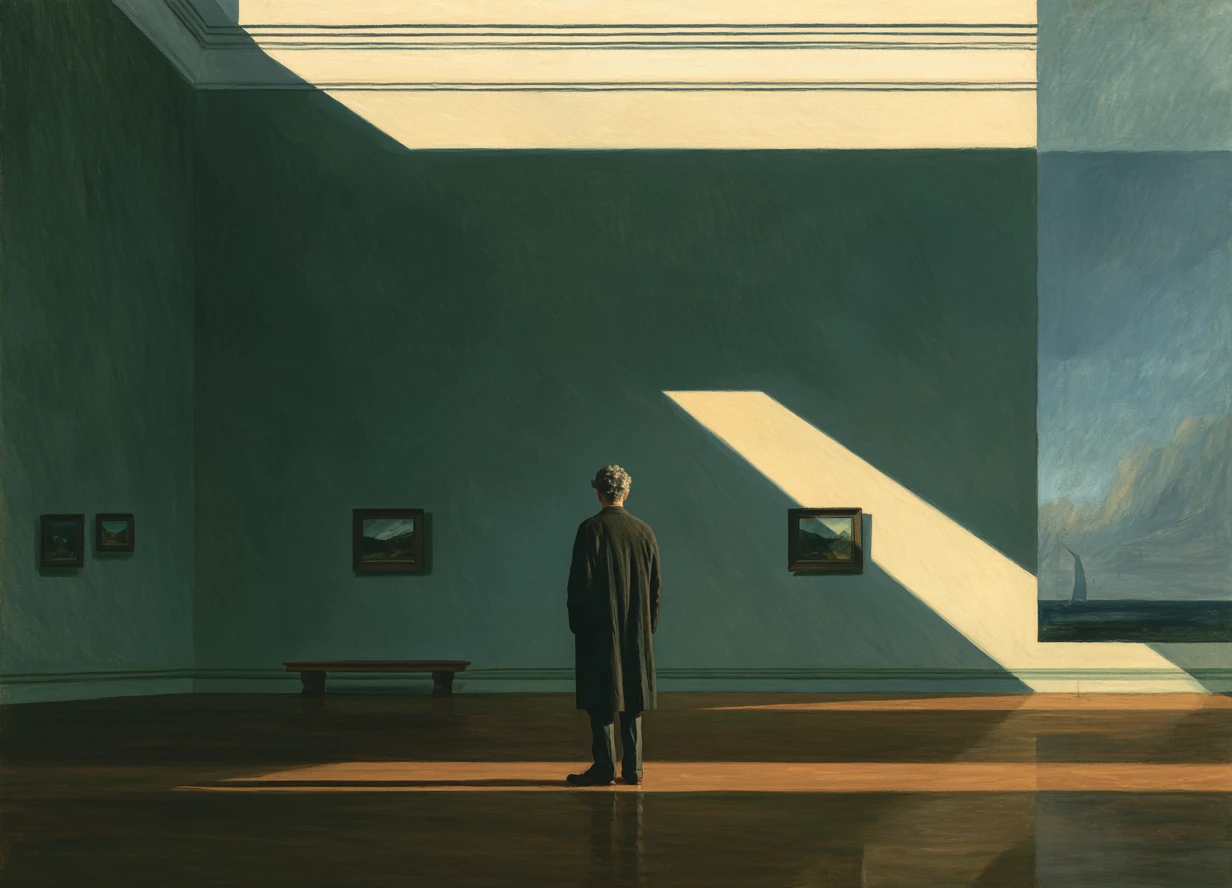
The single biggest change came from 1 image. We made it in Midjourney: an old Georgian gallery with a glass ceiling, dark wood floors and dim light. Words like "realistic" mean nothing specific to a model. An image fixes the materials, the light and the proportions in one go.
Research on screenshot-to-code points the same way, with a twist. Design2Code (NAACL 2025) tested multimodal models on 484 real web pages. The main weakness was recalling visual elements and getting the layout right, and the best results came when the image was paired with text, not used alone. That matches what we saw. The image set the mood, and the prompt told the model what to build with it.
What makes a Three.js scene look realistic
Realism in the browser comes down to light and materials, and every bit of it costs frames. Three.js guides recommend MeshStandardMaterial or MeshPhysicalMaterial for physically based surfaces, with an HDR environment map, converted through PMREMGenerator, for believable reflections on things like an oak floor.
On the three.js forum, a developer working on a 2,000-mesh architectural scene reported 30 to 60fps on mid-range hardware and 60fps on M-series Macs, using culling, level of detail and instancing. Another thread recommends baking the lighting into textures for anything that must run on phones. This is why our prompt names 60fps. Without a frame-rate target, a model will happily add shadows until the museum runs like a slideshow.
How to build your own 3D museum with AI
- Make 1 reference image of the space. Midjourney, ChatGPT, Nano Banana or Figma all work. Name the era, the ceiling, the floor and the light.
- Start a fresh folder, or clone an existing project if you have one.
- Paste the prompt below with the image.
- Use a high effort setting for visual work. We used Extra on Opus 5.5. Max was not needed.
- Let it run. Kimi K3.1 is the cheaper choice if you can leave it for hours. Opus 5.5 is faster.
- Walk through the result before you ask for changes. Write down what feels wrong, then send that list in 1 message.
Build a realistic 3D art museum I can walk through in the browser with Three.js. A long classical hall, a shiny oak floor that reflects, a small spotlight with soft shadows over each painting, film-like lighting, running smoothly at 60 frames per second.For a more reliable result, use this longer prompt. It names React Three Fiber, a React library for Three.js, and spells out the light, the walking and the frame rate.
Build a photoreal 3D museum hall that runs in the browser, using React Three Fiber.
Make it a long classical gallery with mouldings, a glass ceiling and a polished oak floor that reflects the room.
Give every painting its own picture light with a soft shadow from the frame.
Add ambient occlusion, gentle bloom, filmic colour and light grain so it looks like a photo, not a game.
Let me walk at a slow gallery pace with WASD and the mouse, stop at walls and benches, and click a painting to see its title.
Keep it at 60fps by lowering the resolution on slower computers.
Is it worth it?
Does a blog post need a museum you can walk through? Probably not. But it is the most honest test we have found for these models, because you cannot argue with a room that looks wrong. The part that surprised us most was how much of the result came from a single image, and making that image is a designer's job.